
Touch Typing vs Hunt-and-Peck: An Honest Speed Comparison
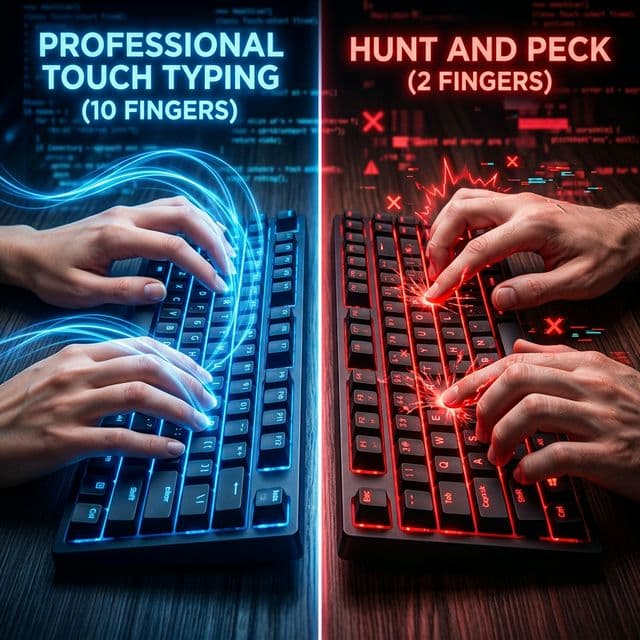
If you have been typing with two fingers your whole life and hitting 50 WPM, you might wonder: is it even worth switching to touch typing? You already seem to be doing fine. The honest answer is more nuanced than most people expect — and the real difference between the two methods goes far beyond raw speed numbers.
What Is Hunt-and-Peck Typing?
Hunt-and-peck is the method most people default to without formal training. You visually locate each key before pressing it, using one, two, or occasionally three fingers. Some hunt-and-peck typists develop impressive speed through sheer years of repetition — there are two-finger typists who consistently hit 60–70 WPM, particularly those who have been using keyboards daily for decades.
The key characteristic of hunt-and-peck is the eye-keyboard-screen cycle: your eyes move from the screen to the keyboard to find the next key, then back to the screen to check what you typed. This cycle repeats hundreds of times per minute, and it creates a cognitive overhead that compounds as typing tasks become more complex.
What Is Touch Typing?
Touch typing uses all ten fingers positioned on the home row — ASDF for the left hand, JKL; for the right. Each finger is assigned a specific zone of keys, and the hands return to the home row after each keystroke. With proper training, you type entirely by feel, without looking at the keyboard at all.
The defining feature of touch typing is not speed itself — it is automaticity. When touch typing is fully trained, the physical act of pressing keys disappears from conscious awareness entirely. You think of a word and your fingers produce it without any deliberate attention to which keys are being pressed. This frees your full cognitive attention for the actual content you are writing or the information you are processing.
Speed Comparison
| Metric | Hunt-and-Peck | Touch Typing |
|---|---|---|
| Average speed (general population) | 30–50 WPM | 50–70 WPM |
| Skilled practitioner ceiling | 60–70 WPM | 100–120+ WPM |
| Accuracy (typical) | 88–93% | 94–99% |
| Eye strain | High (constant keyboard glancing) | Low (eyes stay on screen) |
| Hand and wrist fatigue | Moderate to high | Low (load distributed across 10 fingers) |
| Mental load while typing | High (attention split between keys and content) | Low (typing becomes automatic) |
| Learning curve to switch | 2–4 weeks of slower speed | Starts from zero if learning from scratch |
The critical number in this table is the maximum realistic ceiling. While exceptional hunt-and-peck typists can reach 70 WPM through years of dedicated practice, reaching 90, 100, or 120 WPM is physically impossible with two fingers. The mechanics simply cannot support it: two fingers travelling the full keyboard distance cannot move as fast as ten fingers each covering a fraction of it.
Touch typing has a fundamentally higher speed ceiling because the workload is distributed evenly across all ten fingers. Each finger travels a shorter total distance, each keystroke requires less effort, and — crucially — the next finger begins its approach before the current one has finished. This anticipatory movement is only possible when all ten fingers are in play.
The Accuracy Difference
Speed is the obvious comparison point, but accuracy may matter more in practice. Hunt-and-peck typists typically land in the 88–93% accuracy range. Touch typists, once trained, typically maintain 94–99%.
The source of this difference is mechanical. Hunt-and-peck requires constant visual confirmation — you look at the key, press it, then look at the screen to verify. When the visual confirmation is delayed (you are looking at the screen and reach for a key by memory), errors increase. Touch typists do not rely on visual confirmation at all: their fingers know where the keys are through muscle memory, which is more consistent and less fatigued by sustained use than visual attention.
At professional typing speeds, this accuracy gap compounds. A hunt-and-peck typist at 90% accuracy on a 500-word document produces 50 errors requiring correction. A touch typist at 97% accuracy produces 15. The additional editing and backtracking time adds up significantly over the course of a working day.
The Cognitive Load Difference
This is the difference that surprises most people when they fully make the transition.
Hunt-and-peck divides your attention between two tasks simultaneously: finding and pressing the right key, and thinking about what you want to write. These two tasks compete for the same limited attentional resource. The result is that fast hunt-and-peck typing — even at 60 WPM — feels effortful in a way that makes sustained, high-quality output harder to maintain.
Touch typing consolidates the physical mechanics into a single automatic process, leaving your full conscious attention available for the content. Writers who switch from hunt-and-peck to touch typing frequently report that their writing quality improves, not just their speed — because they can think further ahead without losing their train of thought to the mechanics of input.
For roles that combine typing with real-time listening or thinking — customer service, medical transcription, live captioning, note-taking in meetings — the cognitive load difference is not just a comfort improvement. It is a functional requirement. A hunt-and-peck typist cannot simultaneously maintain a high-quality conversation and type accurately, because both tasks require visual attention. A touch typist can.
The Transition Period: What to Expect
The biggest reason people avoid switching is the temporary speed drop. When you commit to touch typing after years of hunt-and-peck, your speed falls — often dramatically. Going from 50 WPM with two fingers to 20–25 WPM with ten feels like going backwards. Psychologically, this is the hardest part of the transition.
It is not regression. It is the necessary cost of building a better foundation. The muscle memory you are building during the slow phase is what will eventually allow you to exceed any speed you could have reached with hunt-and-peck. Most people regain their original speed within two to four weeks of daily practice, then continue accelerating well beyond their former ceiling.
The transition is easier if you commit to it completely. Switching back to hunt-and-peck during stressful or time-pressured moments — even occasionally — significantly extends the learning period, because it reactivates the old muscle memory every time you do it. Total commitment for three to four weeks produces faster results than a partial switch stretched over months.
When Hunt-and-Peck Is Acceptable
There are situations where hunt-and-peck is not a meaningful problem. If your keyboard use is minimal — a few emails per day, occasional web browsing, light administrative tasks — the investment in learning touch typing may not be worth it.
But if your work involves regular writing, data entry, customer communication, documentation, coding, or any sustained keyboard use, the productivity difference compounds across every working day. At 45 WPM hunt-and-peck versus 70 WPM touch typing, the time saved per 10,000 words typed is approximately 45 minutes. Across a full year of work, that adds up to days.
The Verdict
If you type professionally, hunt-and-peck has a hard ceiling that touch typing does not. The transition is temporarily painful, takes two to four weeks of committed daily practice, and is permanently worth it. Every professional who makes the switch reports that it was the right decision — the only regret most people have is not doing it sooner.
About the author
Louis
Louis is a developer and productivity tools creator who built Typingverified to help professionals build verifiable typing skills. He writes about typing techniques, productivity, and keyboard ergonomics based on hands-on testing and research.
Email: support@typingverified.com
More articles
The Complete Beginner's Guide to Touch Typing in 2026 (Start to Certificate)
Everything you need to know about learning touch typing in 2026, from your first home-row practice to earning a professional typing certificate.
Typing Wrist Pain: What Causes It and How to Type Without Hurting Yourself
Wrist pain from typing is preventable. Learn the real causes of typing-related wrist pain and the setup, technique, and stretching fixes that actually work.
30 Typing Practice Sentences That Will Improve Your WPM Fast
Looking for typing practice sentences that actually improve your speed? Here are 30 carefully chosen sentences targeting accuracy, speed, and common word patterns.