
Typing on a Phone vs. Keyboard: Which Makes You Faster?
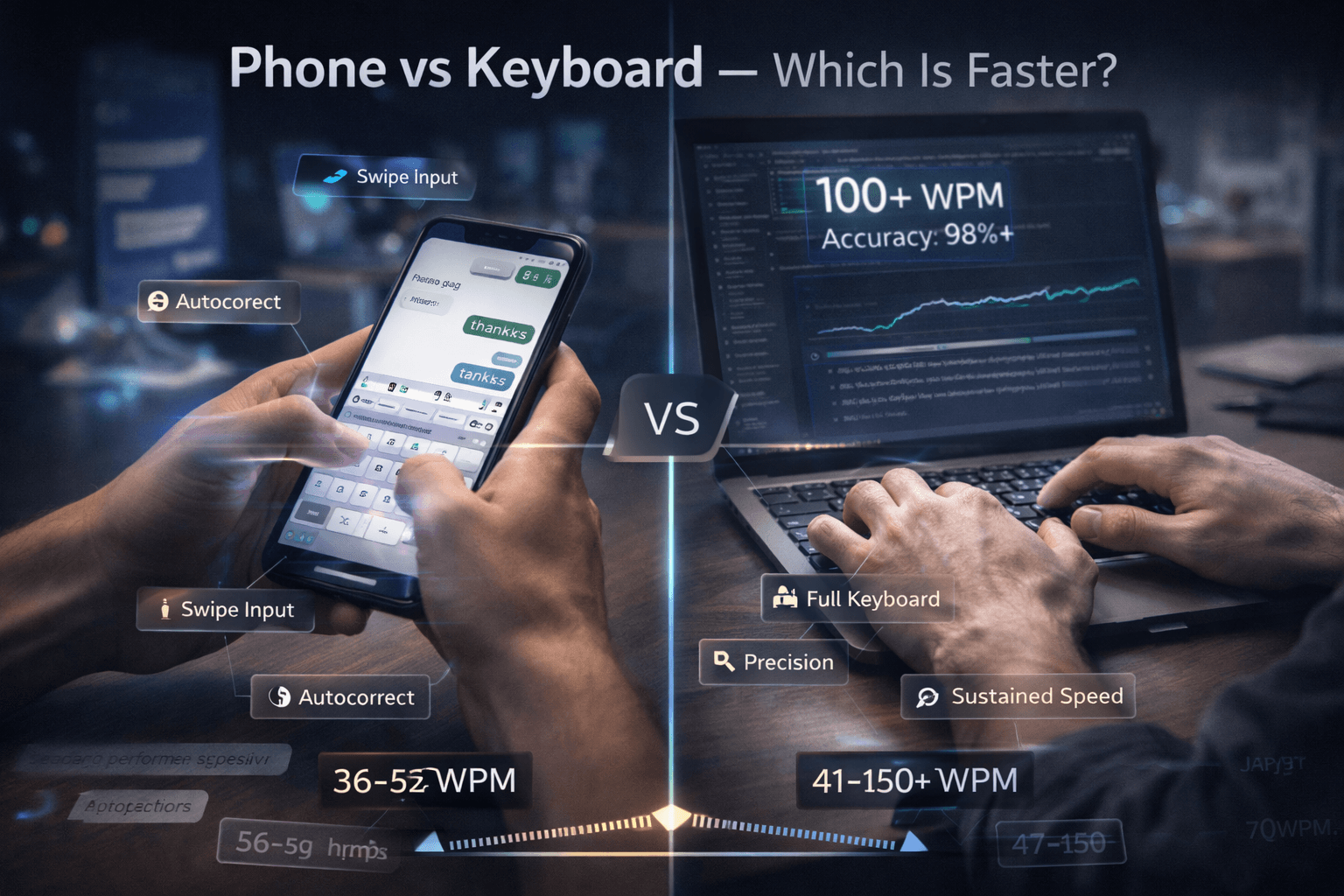
In 2026, billions of people type more on their phones than on keyboards. Gen Z in particular grew up thumb-typing — many of them can swipe out a message faster than they can find the right key on a keyboard. And yet, for most professional tasks, keyboard typing still wins by a wide margin.
So which is actually faster: phone or keyboard? The honest answer is: it depends entirely on what you're typing and how long it is.
Research and benchmarks (how to read the numbers)
Peer-reviewed studies and industry surveys rarely use the same “WPM” definition — some count five characters as one word, others use standardized test corpora. Real-world benchmarks from mobile HCI research in the 2020s generally land in a band of mid-30s to low-50s WPM for phone entry under ideal lab conditions, while professional touch typists on full keyboards cluster much higher — 70 WPM is already a strong office level, and 100+ WPM is uncommon outside people who deliberately train.
Use the table below as representative, not competitive-sport precise: your thumbs, keyboard, and test site will shift results by several WPM either way.
The Numbers
Let's start with the raw speed comparison:
| Input method | Typical range (representative) | Notes |
|---|---|---|
| Phone, two-thumb tap | 36–42 WPM | Most common style; fatigue shows up fast on long sessions |
| Phone, swipe / gesture | 40–52 WPM | Higher short-burst throughput; struggles on jargon and names |
| “Average” keyboard user (untrained) | 41–52 WPM | Often self-taught; overlaps phone speeds for short bursts |
| Touch typist (trained, office) | 70–95 WPM | Sustainable for jobs that live in email and documents |
| Advanced touch typist | 95–110 WPM | Usually deliberate practice history |
| Expert / competitive keyboard | 120–150+ WPM | Specialized training; not required for most careers |
Legacy bullet summary for quick scanning:
Average phone typing speed (thumbs, tap): 36–42 WPM
Average phone typing speed (swipe/gesture input): 40–52 WPM
Average keyboard typing speed: 41–52 WPM
Skilled keyboard touch typist: 70–100+ WPM
Expert keyboard typist: 120–150+ WPM
For short, casual messages, the gap between phone and keyboard is surprisingly small. An experienced phone typist using swipe input can match or slightly exceed the average keyboard typist for a quick text or a two-line reply.
But the comparison breaks down completely at higher volumes and longer content — and it breaks down fast.
Tap vs. Swipe: How Phone Typing Actually Works
Most people don't realize there are two meaningfully different ways to type on a phone, and they perform very differently.
Tap typing is the traditional method — pressing each letter individually. Average speeds with tap typing land in the 36–42 WPM range. It's constrained by how quickly your thumbs can physically move between keys, and by the small target size of each key.
Swipe typing (also called gesture input or glide typing) lets you drag your finger across letters in sequence instead of tapping each one. Swipe input is significantly faster because it reduces the number of individual finger movements. This is how experienced phone typists reach 50+ WPM. Most modern keyboards (Gboard, SwiftKey) support swipe by default.
The catch: swipe input breaks down badly on uncommon words, technical terms, proper nouns, and anything with apostrophes or mixed case. For quick messages with everyday vocabulary, it's impressive. For professional or technical content, the error rate climbs.
Where Keyboards Dominate
Volume and sustained speed: The practical ceiling for phone typing is around 60–70 WPM for exceptional thumb typists using swipe. The ceiling for keyboard touch typing is 120–150+ WPM. More importantly, keyboard typists can sustain high speeds for hours. Phone typing fatigues the thumbs quickly, and speed drops noticeably after 15–20 minutes of sustained output.
Accuracy on complex content: Autocorrect handles most errors in casual messaging remarkably well — it has learned the patterns of everyday language. But in professional contexts, autocorrect becomes a liability. Legal names, technical terms, product codes, email addresses, domain-specific vocabulary — all of these either autocorrect incorrectly or get flagged as errors. A keyboard typist produces professional documents with far fewer involuntary substitutions.
Punctuation and formatting: Accessing punctuation on a phone keyboard requires switching character sets, which costs time on every occurrence. A comma requires tapping a mode-switch key, finding the comma, then switching back. On a standard keyboard, every punctuation mark is a single keystroke from your natural typing position. For any writing with significant punctuation — which includes all professional writing — this friction adds up significantly.
Long-form output: Composing anything over 200–300 words on a phone is genuinely effortful. You're working against autocorrect, fighting for accuracy on proper nouns, switching character sets for punctuation, and scrolling back to review. The same document on a keyboard flows continuously. This is why essentially no professional writing — articles, reports, emails, code — is produced on phones at scale.
Ergonomics: Extended phone typing requires you to hold a device in front of your face while hunching forward, with your thumbs performing rapid, repetitive micro-movements. Even light phone typing sessions of 30+ minutes produce thumb and wrist tension. Keyboard typing, done with correct posture and hand position, is sustainable for hours without the same strain.
When Phone Typing Wins
To be fair, there are real scenarios where phone typing is the better tool:
Short messages in context: If you're already holding your phone and need to reply to a message, pulling out a laptop to respond is wasteful. For anything under 50 words, the phone is faster end-to-end.
Voice-to-text as a hybrid: The fastest "phone typing" isn't typing at all — it's dictation. In a quiet environment, voice-to-text can produce 100–150 WPM equivalent output with reasonable accuracy. This closes the gap significantly for spoken-language content, though it fails on technical terms, punctuation control, and any setting where speaking aloud isn't practical.
On-the-go contexts: Keyboards require a surface, a seated position, and at minimum a laptop. Phones work standing on a train, waiting in a queue, or lying in bed. For contexts where a keyboard isn't physically practical, the phone wins by default.
The Gen Z Keyboard Gap
Research consistently shows that while Gen Z phone typing speed matches or exceeds previous generations, their keyboard typing speed is notably lower — typically landing 8–12 WPM below Millennials of comparable age. For a generation entering a professional workforce that still runs on keyboards for the vast majority of output, this is a real productivity disadvantage.
It's not permanent. Keyboard proficiency is learnable at any age, and the muscle memory builds faster than most people expect with structured daily practice. But the gap exists, and it widens with every year of phone-first habits.
When to use each (decision cheat sheet)
| Scenario | Prefer phone | Prefer keyboard |
|---|---|---|
| Under ~40 words, informal | ✅ Almost always | Only if already at desk |
| Email or doc over ~150 words | ❌ | ✅ |
| Code, spreadsheets, citations | ❌ | ✅ |
| Standing / commuting | ✅ | ❌ Unless foldable + decent deck |
| Need precision on names & numbers | ⚠️ Edit carefully | ✅ |
| Quiet room + long draft | Voice may win | ✅ For structured editing after |
Tips for faster phone typing (without pretending it's a laptop)
- Master one swipe keyboard — switching apps breaks motor learning; stick to Gboard or SwiftKey long enough to learn its predictions.
- Resize and enable one-handed mode — fewer thumb miles beats marginal key visibility gains.
- Add personal dictionary entries — product names and client strings typed once correctly, reused forever.
- Disable aggressive autocorrect for work chats — fewer absurd substitutions; slightly slower but fewer embarrassing fixes on desktop later.
- Use voice for rough drafts, keyboard for fixes — hybrid workflows beat thumb marathons on long paragraphs.
Which Should You Prioritize?
If you use a phone for personal messaging and social media: phone typing is perfectly adequate — you're already good enough at it.
If you work in any professional environment that requires documents, emails, reports, or code: keyboard typing speed is the skill that actually limits your output. The ceiling for phone productivity is real and low. The ceiling for keyboard productivity is much higher, and the investment in improving it pays off every working day.
The phone is a convenient input device for short-burst communication. The keyboard is still the tool for getting real work done fast.
About the author
Louis
Louis is a developer and productivity tools creator who built Typingverified to help professionals build verifiable typing skills. He writes about typing techniques, productivity, and keyboard ergonomics based on hands-on testing and research.
Email: support@typingverified.com
More articles
The Complete Beginner's Guide to Touch Typing in 2026 (Start to Certificate)
Everything you need to know about learning touch typing in 2026, from your first home-row practice to earning a professional typing certificate.
Typing Wrist Pain: What Causes It and How to Type Without Hurting Yourself
Wrist pain from typing is preventable. Learn the real causes of typing-related wrist pain and the setup, technique, and stretching fixes that actually work.
30 Typing Practice Sentences That Will Improve Your WPM Fast
Looking for typing practice sentences that actually improve your speed? Here are 30 carefully chosen sentences targeting accuracy, speed, and common word patterns.